BuildSoftware · 4 min read
Before buying another tool, map the workflow
By the Stride IT team
The fastest way to choose better software is to understand what happens before and after each task.
Software requests usually start with a tool name. "We need a CRM." "We need an app." "We need that dashboard everyone talks about." The tool is rarely the first problem. The first problem is how the work currently moves, and where it gets stuck.
Choosing a tool before understanding the workflow is like buying furniture before measuring the room. It might fit. It often does not.
Start with what actually happens
Pick one task that matters, such as handling a new order, preparing a quote or onboarding a client. Write down every step from the moment it starts to the moment it is finished. For each step note:
- who does it,
- where the information lives (a sheet, a chat, someone's head),
- what they are waiting for before they can move on.
Three questions for every step
- What triggers it? A message, a payment, a deadline, a person?
- Who owns it? One person, or "whoever is free"?
- What happens when it is late or wrong? Who notices, and how?
Look before and after, not just at the task
Most delays hide in the handoffs. What arrives before the task starts, and in what condition? Who receives the result, and what do they need from it? A step that looks fine on its own may be creating extra work for the next person.
What the map usually reveals
- The same information typed into two or three places.
- Key details buried in WhatsApp threads or personal notes.
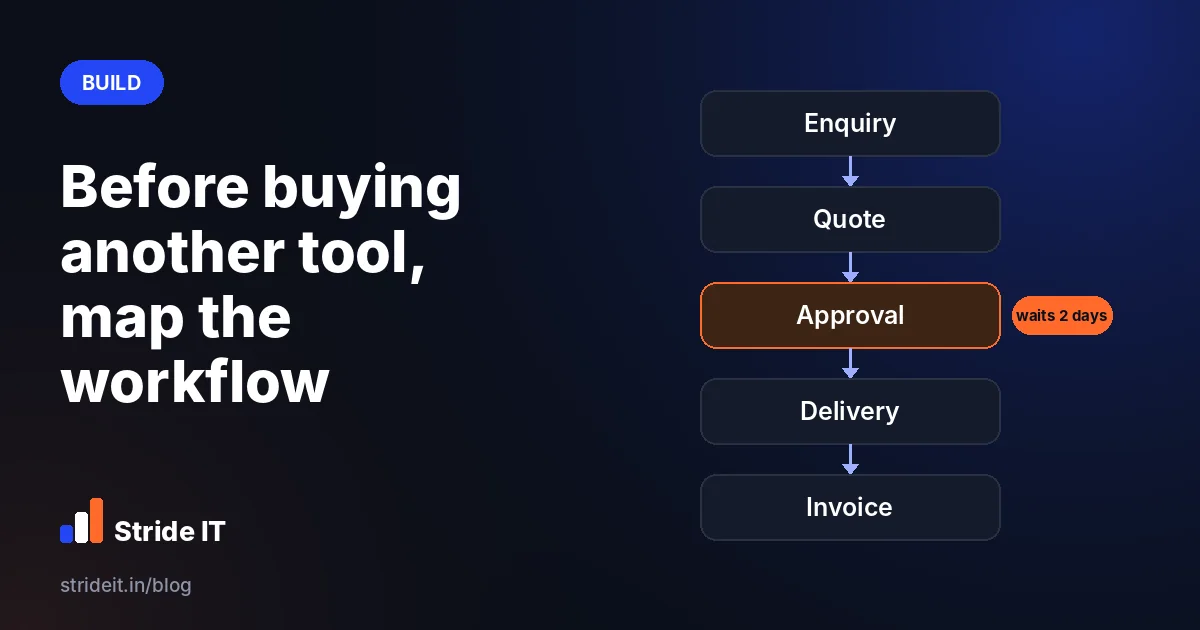
- Approvals that wait for one busy person.
- Steps nobody clearly owns, so they happen only when someone remembers.
Many of these can be fixed with a small process change, no software at all. That alone can save the cost of a tool you did not need.
Only then choose the tool
With a map in hand you can compare real options:
- Change the process. If the problem is unclear ownership, software will not fix it.
- Use an off-the-shelf tool. Good when your process is fairly standard and you can adapt to the tool.
- Build custom software. Worth considering when your process is part of what makes you different, or standard tools keep forcing awkward workarounds.
If custom is the right answer, the map also becomes the brief: it tells a developer what to build and what to leave out. That is how Stride IT scopes custom software before any work starts. Common results are a CRM for enquiries, an internal dashboard for work in progress, or a mobile app for people in the field.
A one-hour exercise
Get the two or three people who do the task. Use a whiteboard or paper. Walk through one real example from start to finish and mark every wait, repeat entry and unclear owner. You will leave with a list of fixes ranked by how much time they waste, and a much clearer idea of what, if anything, to buy.
A small example
Take a company that sends quotes. On paper it sounds simple: receive a request, write a quote, send it. Mapped honestly, it looks more like this:
- A request arrives by call, WhatsApp or email.
- Someone notes it down, sometimes.
- Prices are checked in a sheet that two people edit.
- The quote is written in a document and sent as a PDF.
- Nobody records when it was sent or whether it was read.
The pain is not in step 4. It is in steps 2 and 5, where information is lost. The fix may be as small as one shared list with a status column. Or, if the volume is high and the prices are complex, it may be a custom quoting tool. Without the map, you would not know which.
Mistakes to avoid
- Mapping the ideal process, not the real one. Map what actually happens, including the workarounds.
- Mapping too much at once. One task, done well, teaches more than ten done loosely.
- Leaving out the people who do the work. They know where it really gets stuck.
- Treating the map as finished. Update it after you change something.
Frequently asked questions
Why map the workflow before buying software?
The tool is rarely the first problem. The first problem is how work currently moves and where it gets stuck. A map shows whether you need a process change, an off-the-shelf tool or custom software.
What should I write down for each step?
Who does it, where the information lives (a sheet, a chat, someone's head), and what they are waiting for before they can move on. Then ask what triggers the step, who owns it, and what happens when it is late or wrong.
When is custom software worth considering?
When your process is part of what makes you different, or when standard tools keep forcing awkward workarounds. If the problem is unclear ownership, software will not fix it.
How long does a workflow map take?
A one-hour exercise can be enough. Gather the two or three people who do the task, use a whiteboard or paper, and walk through one real example from start to finish.