BuildBusiness systems · 5 min read
CRM vs Excel: when should a small business switch?
By the Stride IT team
A spreadsheet is a fine place to start. Here are the signs it has stopped being enough, and how to switch without losing what already works.
Most businesses start tracking customers in a spreadsheet, and that is a sensible choice. It is free, familiar and fast to set up. The question is not whether Excel is bad. It is whether it still fits the way you work today.
This guide gives you a plain way to decide, without assuming that a bigger tool is always better.
Where Excel works well
A spreadsheet is enough when the work is small and simple:
- One or two people handle all the enquiries.
- You have a manageable number of open leads and customers.
- Everyone is happy to update the same file, and you can see it at a glance.
- Follow-up is a daily habit, not something that gets forgotten.
If that describes you, do not switch yet. A tidy sheet with an owner, a next action and a follow-up date on every row beats a half-used CRM.
Signs a spreadsheet is no longer enough
- Several people edit the file and it breaks. Two people overwrite each other, or there are three versions saved with different names.
- Leads arrive from many places. WhatsApp, calls, the website form and social messages all get copied across by hand.
- Follow-ups depend on memory. Nothing reminds anyone when a quote has gone quiet.
- You cannot answer simple questions quickly. Which leads are overdue? Who has the most open work? Which source brings real customers?
- Sensitive data is shared too widely. Anyone with the file can see every customer and every price.
- The file is slow or confusing. Too many columns, colours and notes that only one person understands.
If three or more of these sound familiar, the sheet is probably costing you enquiries. Not because Excel failed, but because the work outgrew it.
What a CRM adds
A CRM (customer relationship management system) is a shared place for customers, enquiries and conversations. Compared with a sheet, a good one can:
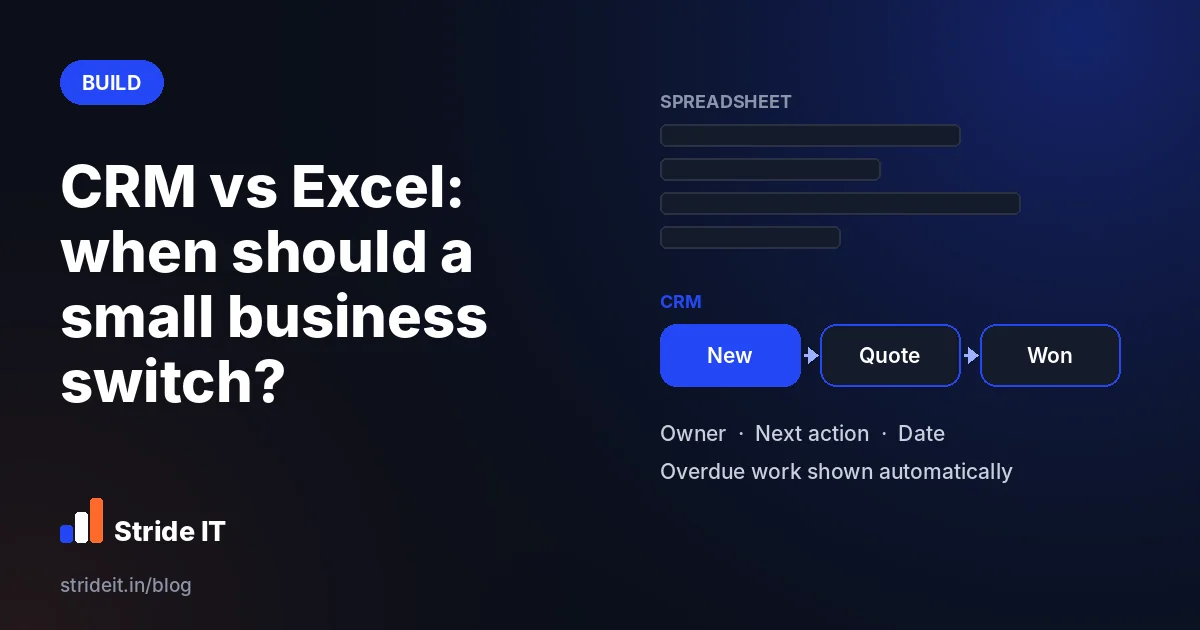
- give each enquiry an owner, a next action and a date, and show what is overdue,
- collect enquiries from your website, ads and messages into one list,
- send reminders automatically instead of relying on a daily review,
- control who can see or change what,
- show simple numbers: enquiries, quotes, wins and where leads are lost.
None of that is magic. It is the same discipline you would use in a good spreadsheet, with the repetitive parts handled for you.
Ready-made CRM or custom CRM?
There are two sensible routes, and neither is always right.
- A ready-made CRM suits you when your process is fairly standard and you can adapt to the tool. It is quicker to start. The trade-off is that you adapt your process to the software, and you may pay for features you never use.
- A custom CRM suits you when your sales or service process is part of what makes you different, or when standard tools keep forcing awkward workarounds. It is built around your steps. The trade-off is more planning up front.
A good way to choose is to write down your process first. If a ready-made tool fits it with small changes, use it. If you would have to bend your process out of shape, consider custom. We cover the mapping step in Map the Workflow Before Buying Software.
How to switch without a mess
- Clean the sheet first. Remove duplicates and fix obvious errors. Moving messy data into a new system only moves the mess.
- Decide the stages. For example: new, contacted, quote sent, won, lost. Keep it short.
- Pick what you need on day one. Owner, next action, follow-up date and source are usually enough. Add more later.
- Import and test with a few records. Check that names, numbers and dates came across correctly.
- Run both for a short time. Keep the old sheet read-only as a backup while the team learns the new system.
- Switch off the old habit. Once everyone is using the CRM, stop updating the sheet so there is only one source of truth.
Mistakes to avoid
- Buying a CRM to fix a process problem. If nobody owns follow-up today, software will not create that habit by itself. See Build a Follow-Up System, Not Just Check-Ins.
- Adding too many fields. If staff must fill in twenty boxes, they will stop filling in any.
- Skipping training. A short walkthrough and one person who owns the system matter more than any feature.
- Ignoring data safety. Decide who can see what, and keep a backup.
How Stride IT can help
If you decide a CRM is the right next step, Stride IT builds custom CRMs shaped to your own process, and can add a CRM manager AI that drafts follow-ups for your approval. If a ready-made tool would serve you better, we will say so. Tell us how you work today and we will tell you how we would approach it.
Frequently asked questions
Is Excel enough for a small business?
Yes, while the work is small and simple: one or two people handle enquiries, the number of open leads is manageable and follow-up is a daily habit. A tidy sheet with an owner, next action and date on every row works well.
What are the signs I should move from Excel to a CRM?
Several people edit the file and it breaks, enquiries arrive from many channels and are copied by hand, follow-ups depend on memory, you cannot quickly see what is overdue, or sensitive data is shared too widely. Three or more signs suggest it is time.
What does a CRM do that a spreadsheet does not?
It can assign owners and next actions, collect enquiries from several places, send automatic reminders, control who sees what and show simple numbers about enquiries and wins.
Should I choose a ready-made or a custom CRM?
Choose ready-made if your process is fairly standard and you can adapt to the tool. Consider custom if your process is part of what makes you different or standard tools force awkward workarounds. Writing down your process first makes the choice clearer.
How do I move from Excel to a CRM safely?
Clean the sheet, decide a few stages, start with only the fields you need, test with a few records, run both for a short time with the old sheet as a backup, then stop updating the sheet.