AutomateWhatsApp · 5 min read
WhatsApp automation for business: what is allowed and what is not
By the Stride IT team
Automating WhatsApp can save hours, but only if you follow the platform's rules. Here is a plain guide to what is generally allowed, what is risky and how to start safely.
Customers in India already message businesses on WhatsApp. That makes it a natural place to automate replies, reminders and follow-ups. It is also a place where a careless setup can get a number restricted, so it helps to know the rules before you build anything.
This is a general guide, not legal advice. WhatsApp's policies and pricing change, so always check Meta's current business terms before you launch.
Two different WhatsApp products
Most confusion starts here, because there are two ways to use WhatsApp for business:
- The WhatsApp Business app. Free, used on a phone. It offers a business profile, a catalogue, labels, quick replies, a greeting message and an away message. Good for a small team that replies by hand.
- The WhatsApp Business Platform (API). Connects WhatsApp to software through an approved provider. This is what you need for real automation, such as chatbots, AI agents, a shared team inbox or messages triggered by your CRM.
Automation beyond simple saved replies generally needs the second option.
What is generally allowed
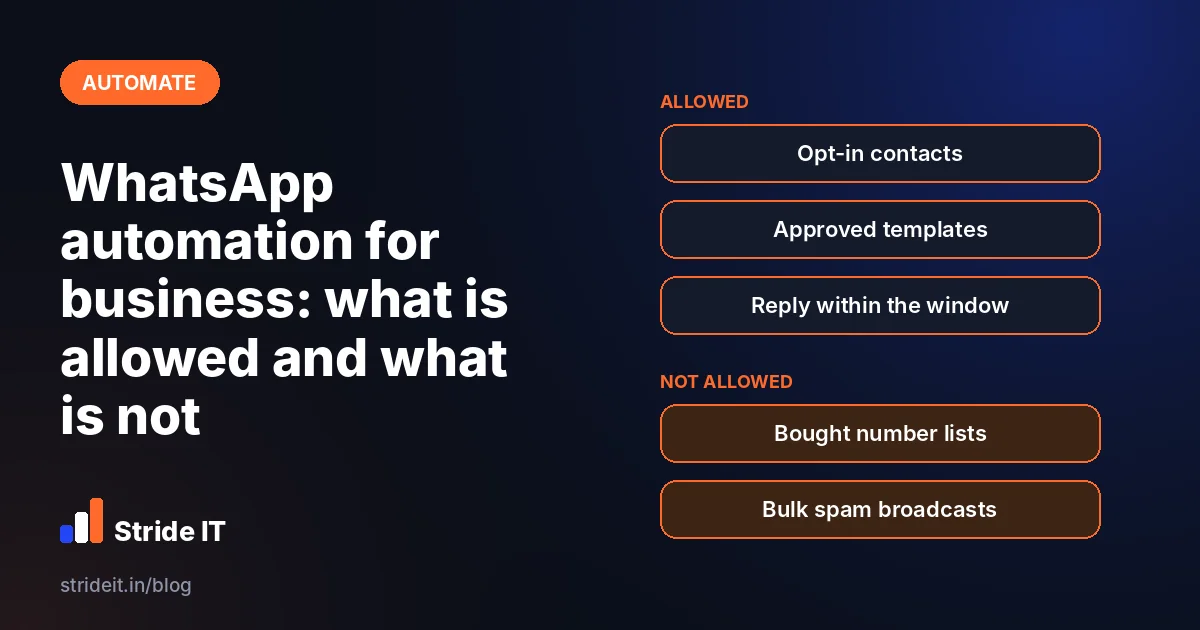
- Replying to customers who message you first. Answering questions, sharing details and confirming bookings inside the conversation window.
- Automated greetings, away messages and quick replies on the Business app.
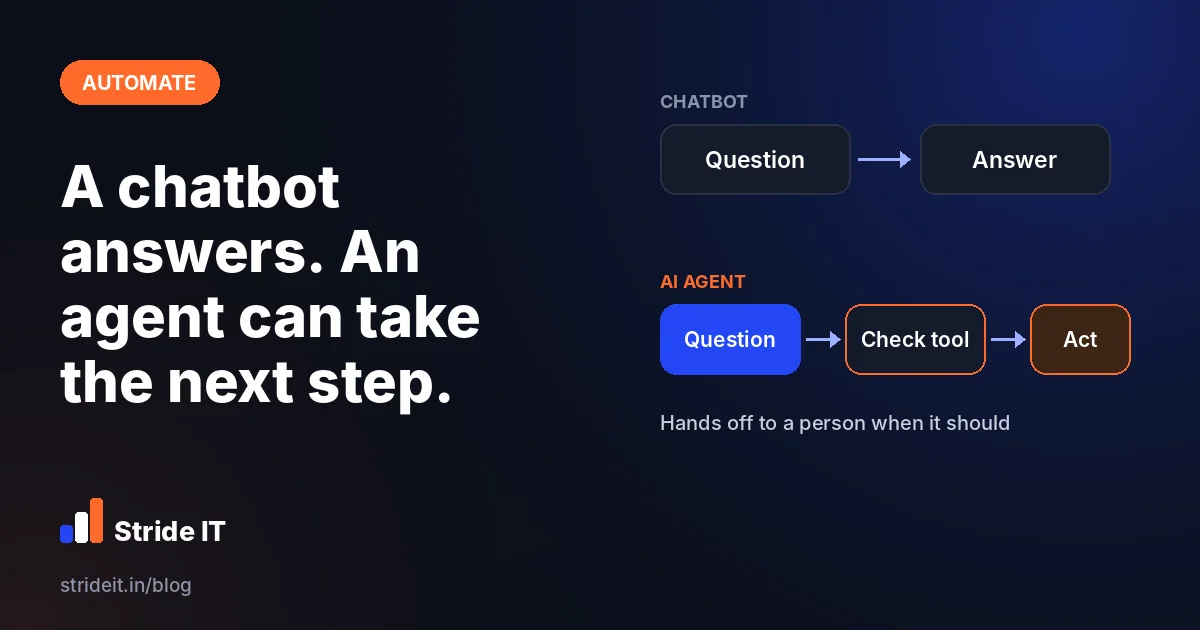
- A chatbot or AI agent that answers common questions, as long as it is clear, accurate and can hand over to a person.
- Business-started messages using approved templates, sent to people who have agreed to hear from you. Typical examples are appointment reminders, order updates and payment notices.
- Marketing messages to people who opted in, within Meta's rules for templates and content.
What is risky or not allowed
- Messaging people who never agreed to hear from you. Bought lists, scraped numbers and old contact dumps are the fastest way to get blocked or reported.
- Mass broadcasts from a normal number. Using unofficial tools or personal numbers to send bulk messages goes against WhatsApp's terms and can lead to a ban.
- Ignoring opt-outs. If someone asks you to stop, you must stop.
- Misleading or deceptive content. Fake offers, false urgency or pretending to be a person when you are a bot.
- Restricted products and services. Meta limits some categories. Check its commerce and business policies before you promote anything sensitive.
- Unofficial automation tools. Anything that links to WhatsApp Web or a personal account to automate it puts your number at risk.
The conversation window, in plain words
When a customer messages you, a time window opens in which you can reply freely. Outside that window, a business generally needs an approved message template to start the conversation. Templates are reviewed, so write them plainly and keep each one tied to a real purpose. Exact timings and rules can change, so confirm them with your provider.
A safe way to start
- List the questions customers ask most. Price, timing, location, status. Those are your first automated answers.
- Get permission. Add a clear opt-in on your website form, at the counter or in the first chat, and keep a record.
- Use an official provider for the Business Platform instead of workarounds.
- Write plain templates for reminders and updates, and keep promotions separate.
- Always offer a person. Let the customer type something like talk to a person at any time and hand the chat to your team.
- Make opting out easy, and respect it.
- Review weekly. Read real conversations, fix wrong answers and add new questions.
Costs to expect
Meta charges for some message types on the Business Platform, and the rate depends on the message type and country. Your provider may add its own fee. AI replies also have a usage cost. Ask for these in writing before you commit, because they are separate from the work of setting everything up.
Mistakes to avoid
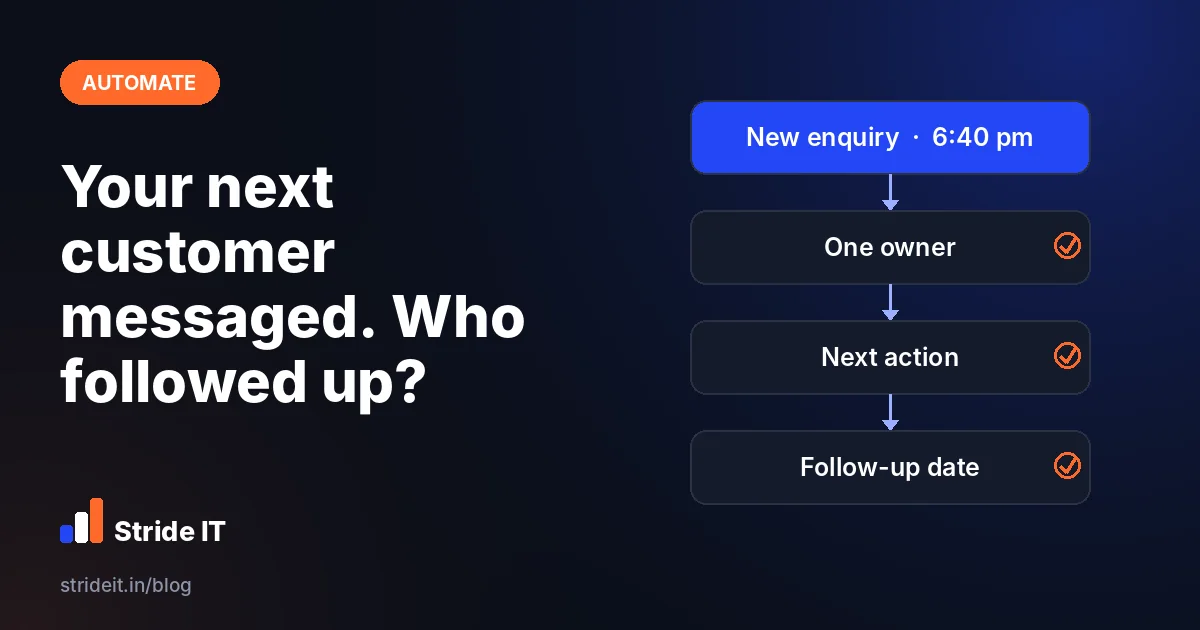
- Automating a bad process. If nobody owns follow-up today, a bot will not create that habit. See Build a Follow-Up System, Not Just Check-Ins.
- Letting a bot guess. An agent should answer from your own information and say when it does not know. We explain the difference in Chatbot vs AI Agent.
- Sending too much. Fewer, useful messages keep people subscribed.
- No owner. Someone should read the chats and improve the answers.
How Stride IT can help
Our AI service center can answer customers on WhatsApp from your own information, with a hand-over to your team when it should. A CRM manager AI can also draft follow-ups for your approval. We tell you up front what WhatsApp rules apply to your case.
Frequently asked questions
Can I automate WhatsApp for my business?
Yes, within WhatsApp's rules. Simple saved replies, greetings and away messages work on the free Business app. Chatbots, AI agents and messages triggered by software use the WhatsApp Business Platform through an approved provider.
What can get my WhatsApp number blocked?
Messaging people who never agreed to hear from you, using bought or scraped lists, sending bulk messages through unofficial tools, ignoring opt-outs and sending misleading content are the common causes.
Can a business start a WhatsApp conversation?
Generally, a business uses an approved message template to start a conversation with someone who has agreed to receive messages. When a customer messages first, you can reply freely inside the conversation window. Check Meta's current rules for details.
Does WhatsApp automation cost extra?
Often yes. Meta charges for some message types on the Business Platform, your provider may add a fee and AI replies have a usage cost. Ask for all of these in writing.
Can an AI agent reply on WhatsApp?
Yes. It should answer from your own information, say when it does not know and hand the chat to a person when needed.